Sending a Message to a Student (Email)
1. In the student's profile, click "Message Student" on the right side of the screen under Actions.
2. Make sure you have selected a student in order to send the message.
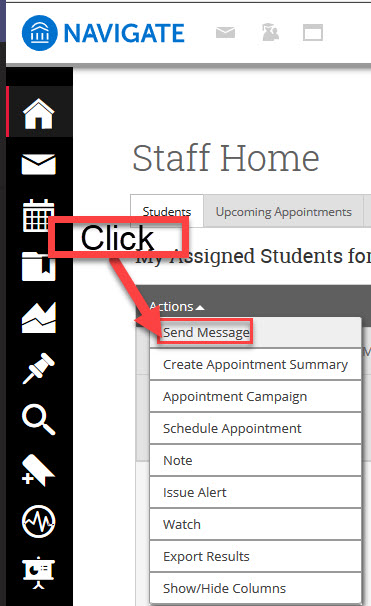 Send Message
3. In the following pop up window, enter all necessary information and add any attachments, then click Send Message (email).
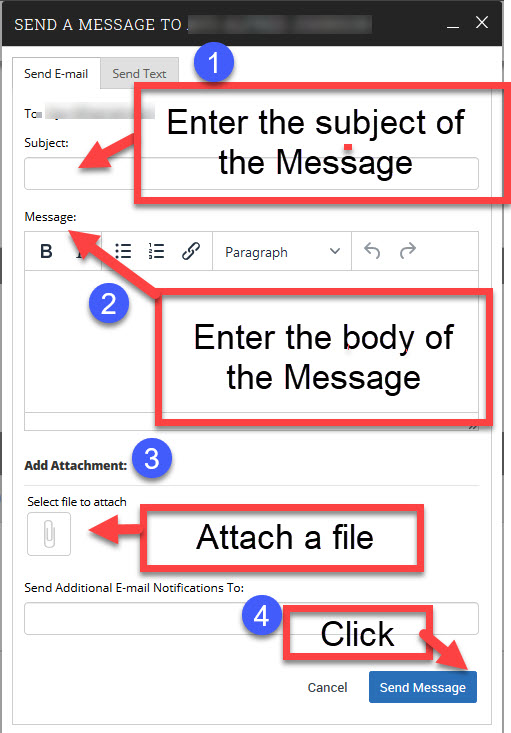 Enter Information