How to Download Microsoft Teams App on a PC (Screenshots & Tutorial)

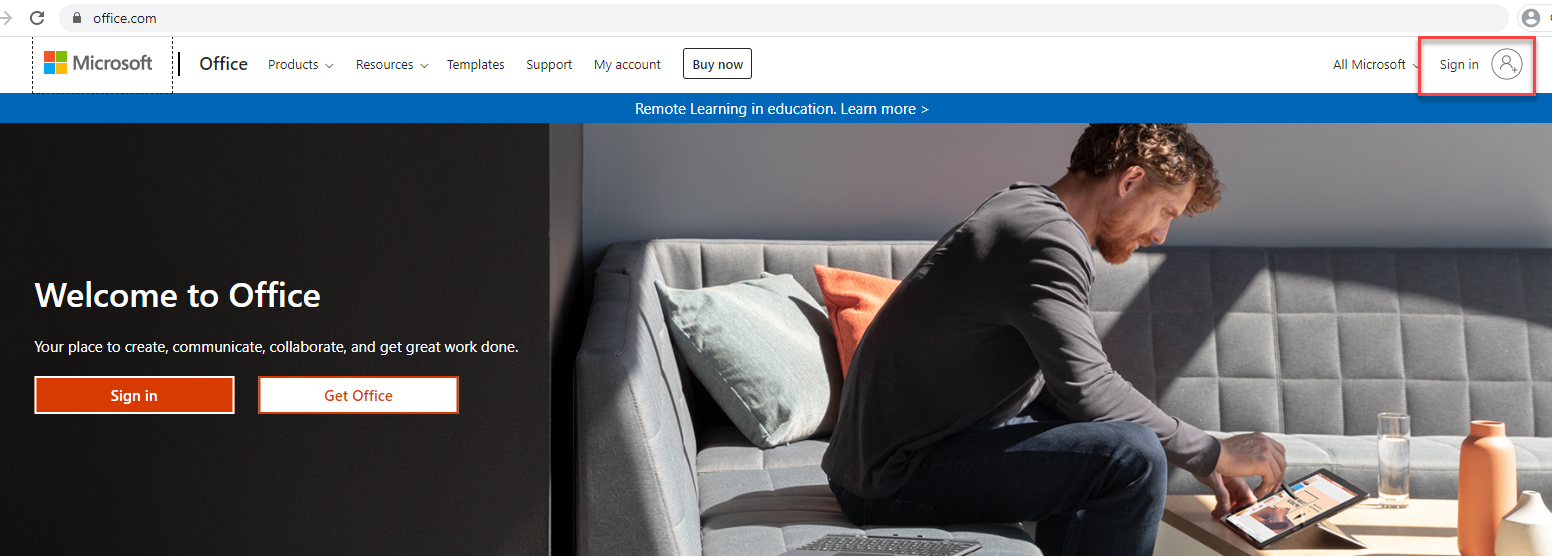 Sign In
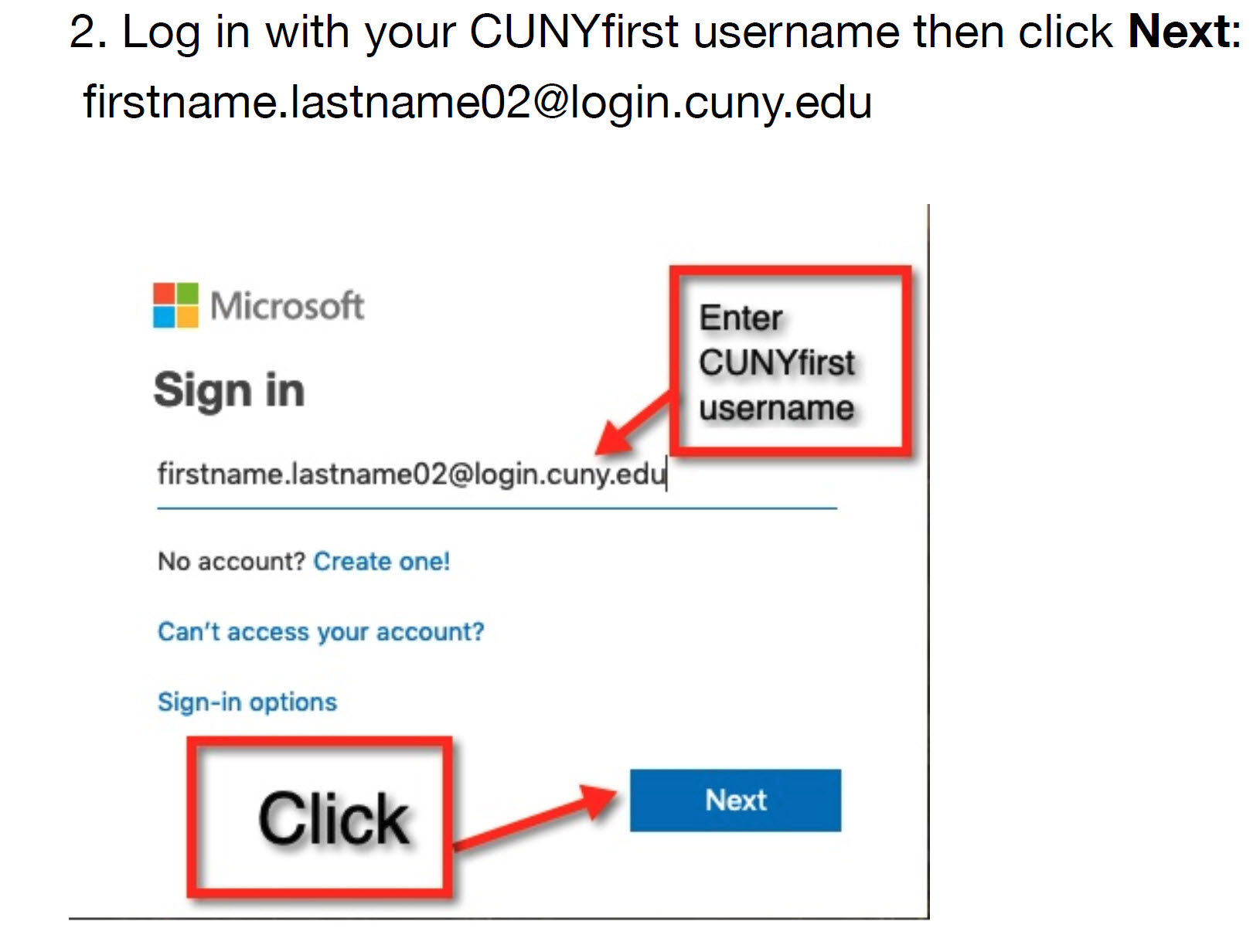 Username

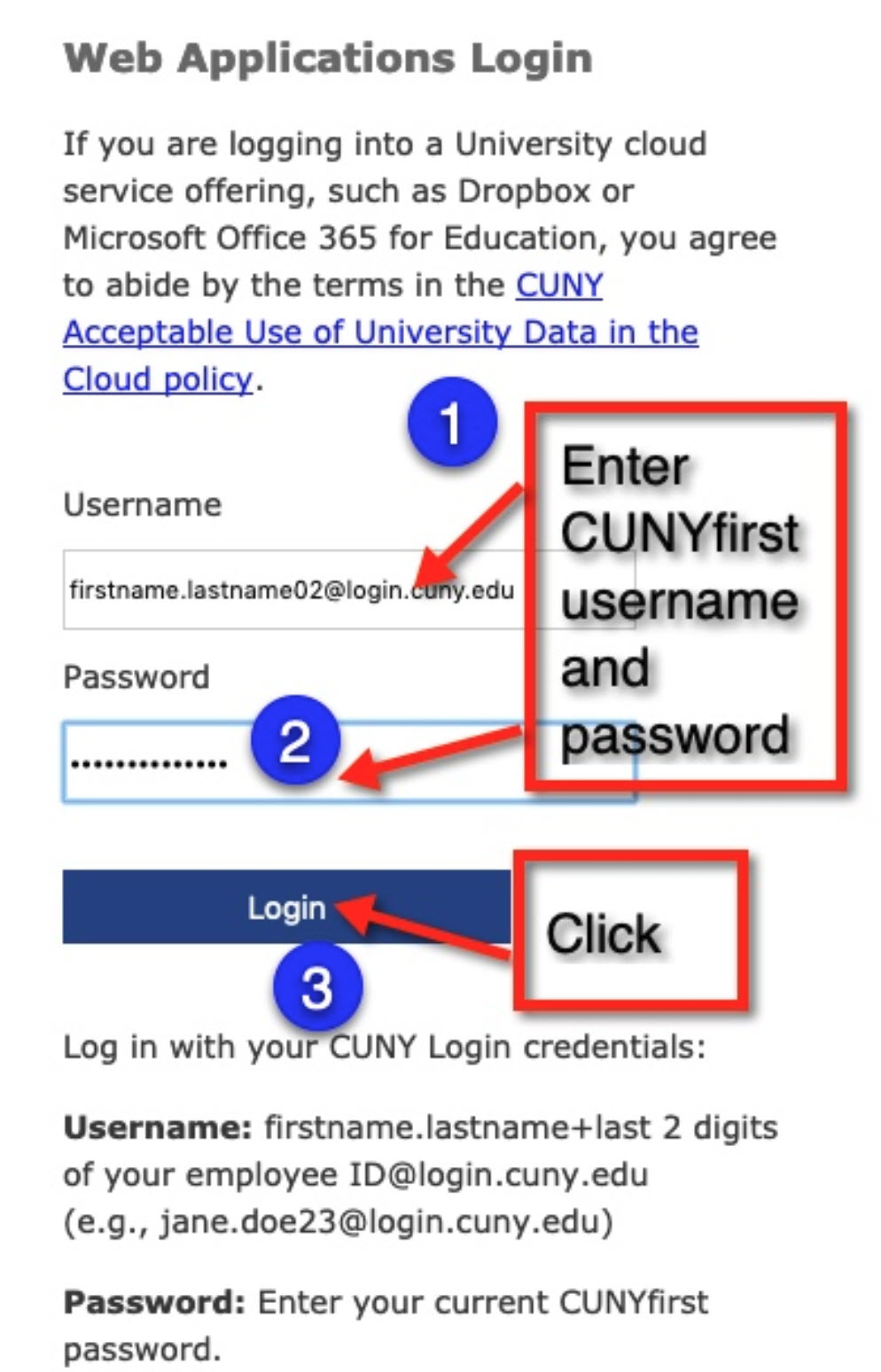 Login Credentials
4. After logging into office.com please click on Teams.
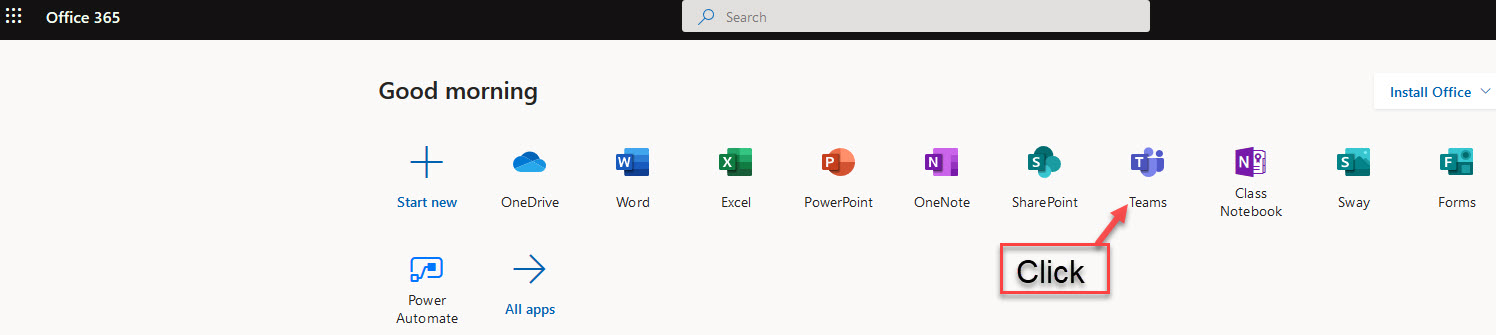 Teams
Teams
5. Please click on the right-hand side where you see your initials
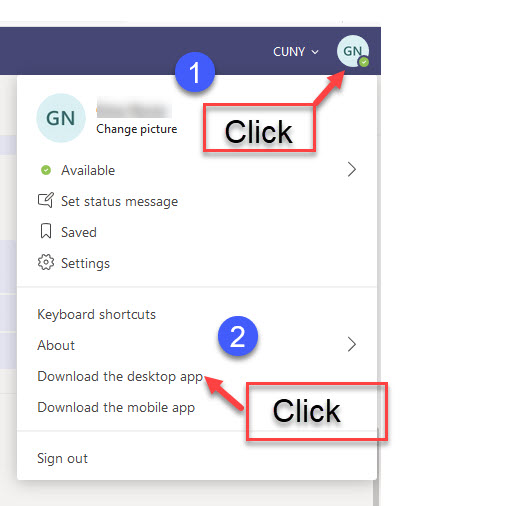 Download the Desktop App
6. Click to Save the file on your computer
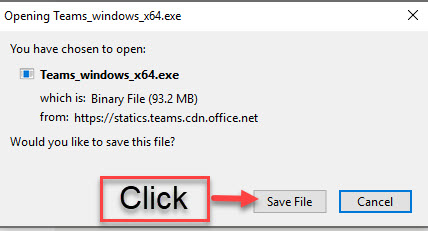 Save
Save
7a. Click on the down arrow in your browser.
b. Then double click the file to open.
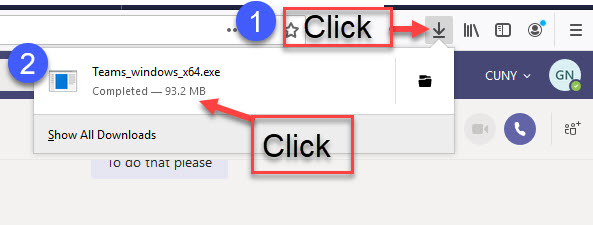 File
File
8. The installation dialog box will open
 Installing
9. Go to your Desktop to open the Teams Application and log in with your CUNYfirst credentials to access teams(firstname.lastname02@login.cuny.edu) (last 2 digits of your Emplid)
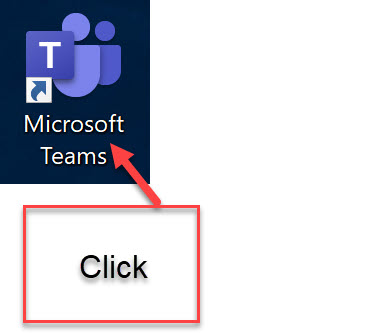 Microsoft Teams